
Add Library content to a course#
Any published content in a Library can be reused in courses. Content can be reused in as many courses as an author or course team wishes.
Note
Content must be published in a Library before it can be used in a Course.
From the Unit page in a coures outline, click on the Library Content tile.
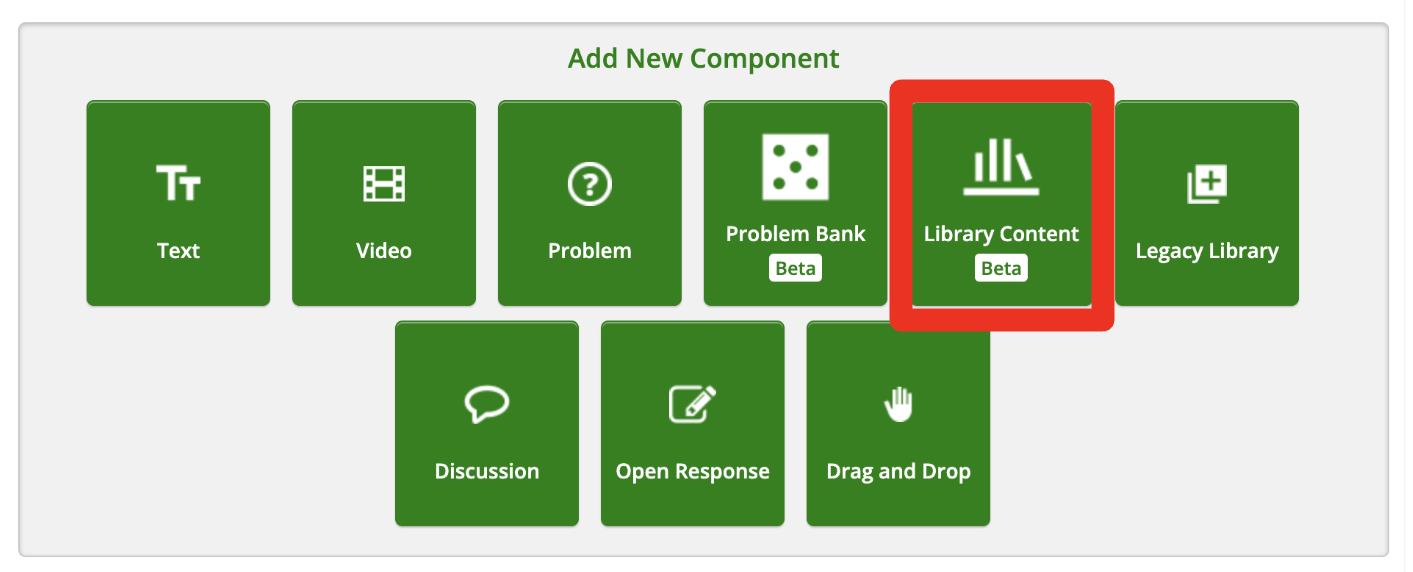
Choose the Library from which you’d like to add content.
A search modal for that Library will appear. Search for the content you’d like to add.
Click the Add button on the content tile.
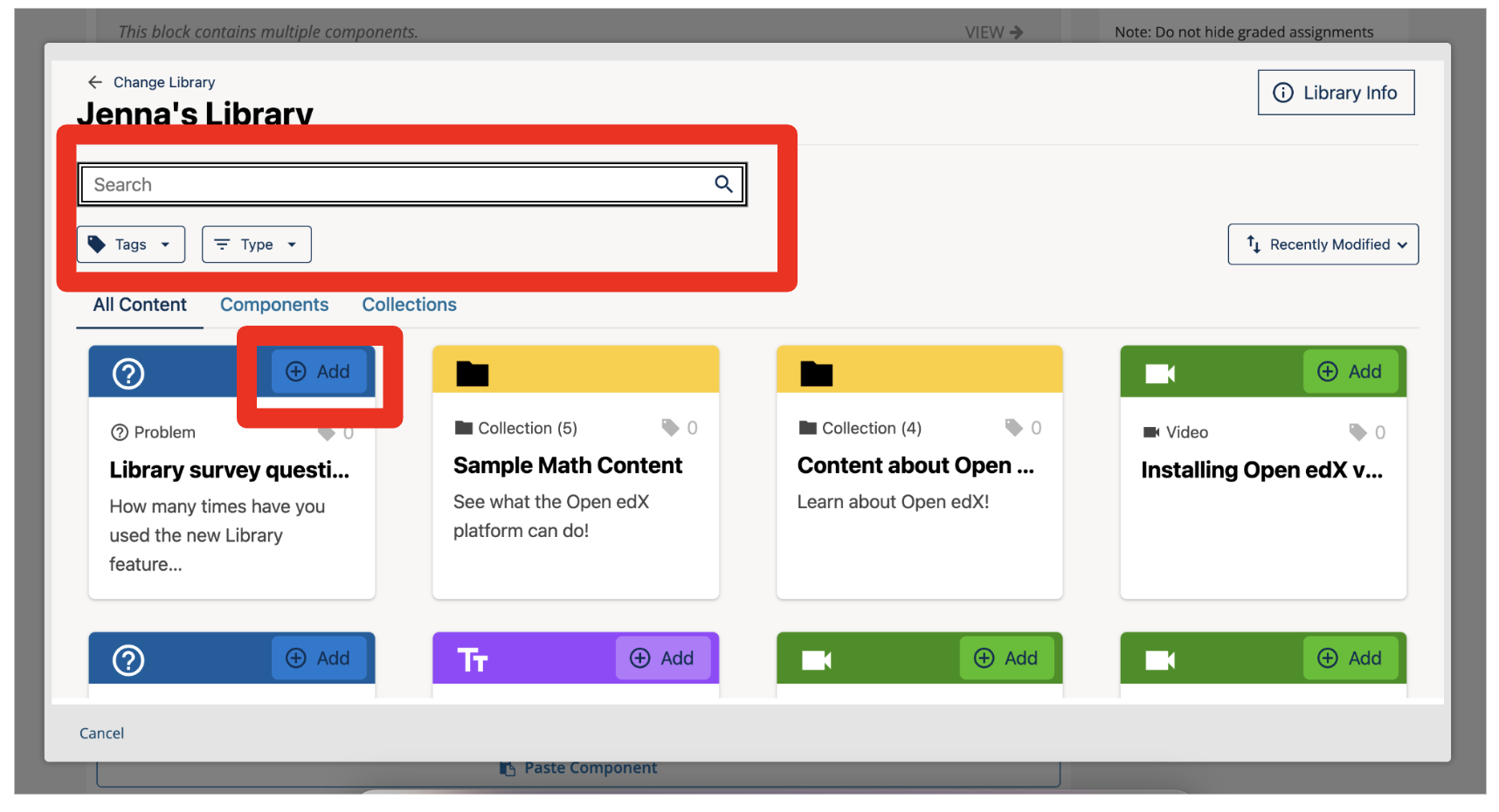
The content will be added to your Unit page.