
Course Pacing#
This topic describes the difference between instructor-paced and self-paced courses.
Overview of Course Pacing#
When you create an Open edX course, you can set the schedule of the course, including due dates for assignments or exams, or you can allow learners to work at their own pace. Courses that follow a schedule that you set are known as instructor- paced courses. Courses that offer suggested due dates for assignment or exams based on the learner’s enrollment date and the expected course duration are known as self-paced courses. These courses offer learners flexibility to modify the assignment dates as needed.
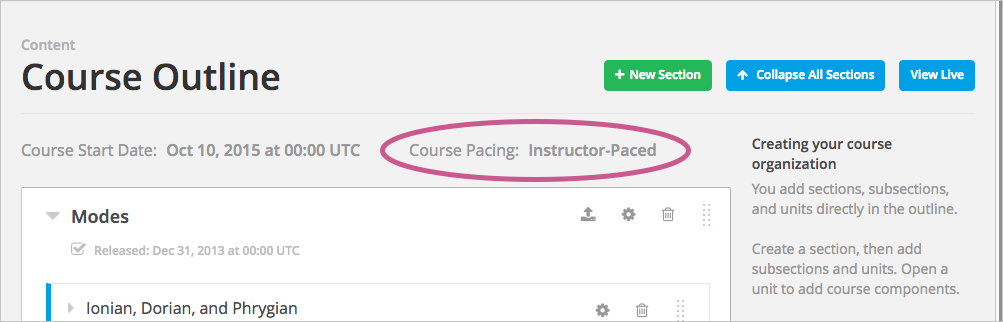
An indicator for the pacing for your course appears on the Course Outline page. By default, courses are instructor-paced.
Note
You cannot change the course pacing after the course start date has passed.
Instructor-Paced and Self-Paced Courses#
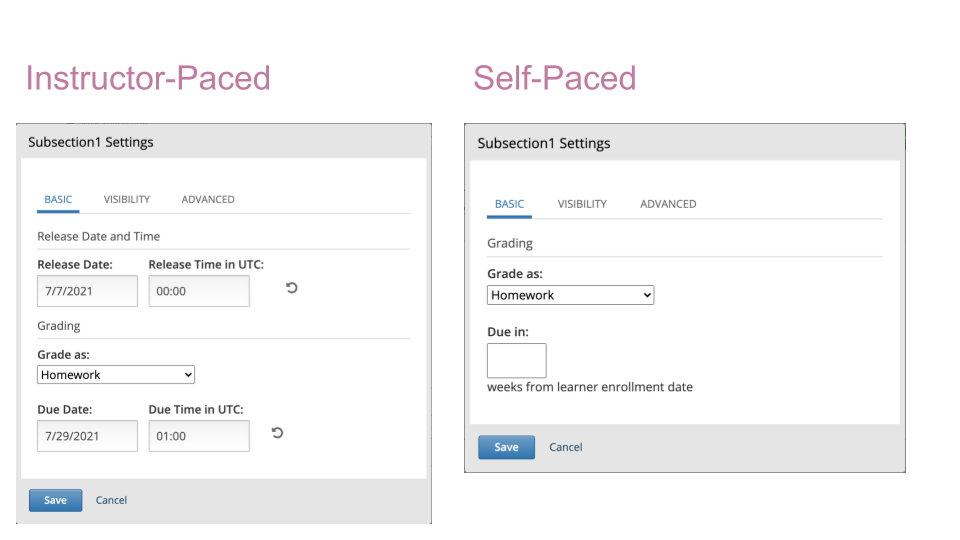
Instructor-paced courses progress at the pace that the course author sets. You set release dates for content and due dates for assignments, and assignment due dates are visible in the LMS. Learners cannot access course content before its release date, and learners must complete assignments by their due dates.
In self-paced courses, learners can access all course materials when the course begins, and assignment due dates follow a Personalized Learning Schedule (PLS) by default. You do not have the option to set release dates for course content. Learners can complete course material at any time before the course end date.
Note
If you set due dates for assignments or exams in an instructor-led course and later change the course to be self-paced, Studio stores the due dates that you previously set. If you change the course back to instructor- paced later, Studio restores the due dates.
Personalized Learning Schedule (PLS) is a feature in self-paced courses that creates a personalized schedule for learners by assigning suggested due dates to graded assignments.
A learner’s PLS is based on their enrollment date and can have two types of pacing:
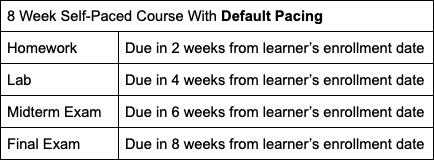
PLS’ default pacing automatically assigns due dates to graded subsections evenly throughout the course duration based on the total number of sections in the course.
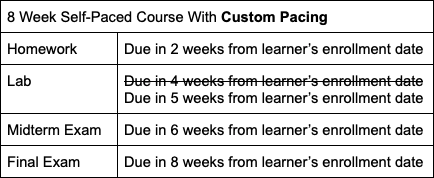
PLS’ custom pacing allows course authors to assign due dates to graded subsections manually throughout the course duration.
For example, if there are 4 sections, each of which has a graded assignment, in an 8-week course, default pacing would assign due dates for every 2 weeks.
Custom pacing allows for other relative due dates, such as setting an assignment to be due in 5 weeks instead of the 2 week interval.
Now, Personalized Learning Schedule can be adapted to have:
Default pacing
Custom pacing
A mix of default and custom pacing, where the user sets custom pacing to some, but not all, graded assignments in a course. The rest of the assignments that are not set have default pacing applied to them.
Setting Custom Pacing in Personalized Learning Schedules#
Once you have created a graded assignment in your self-paced course, the assignment is eligible to be included in a learner’s Personalized Learning Schedule (PLS), and it will automatically inherit default pacing. Follow these steps to override the course’s default pacing, and enable custom pacing:
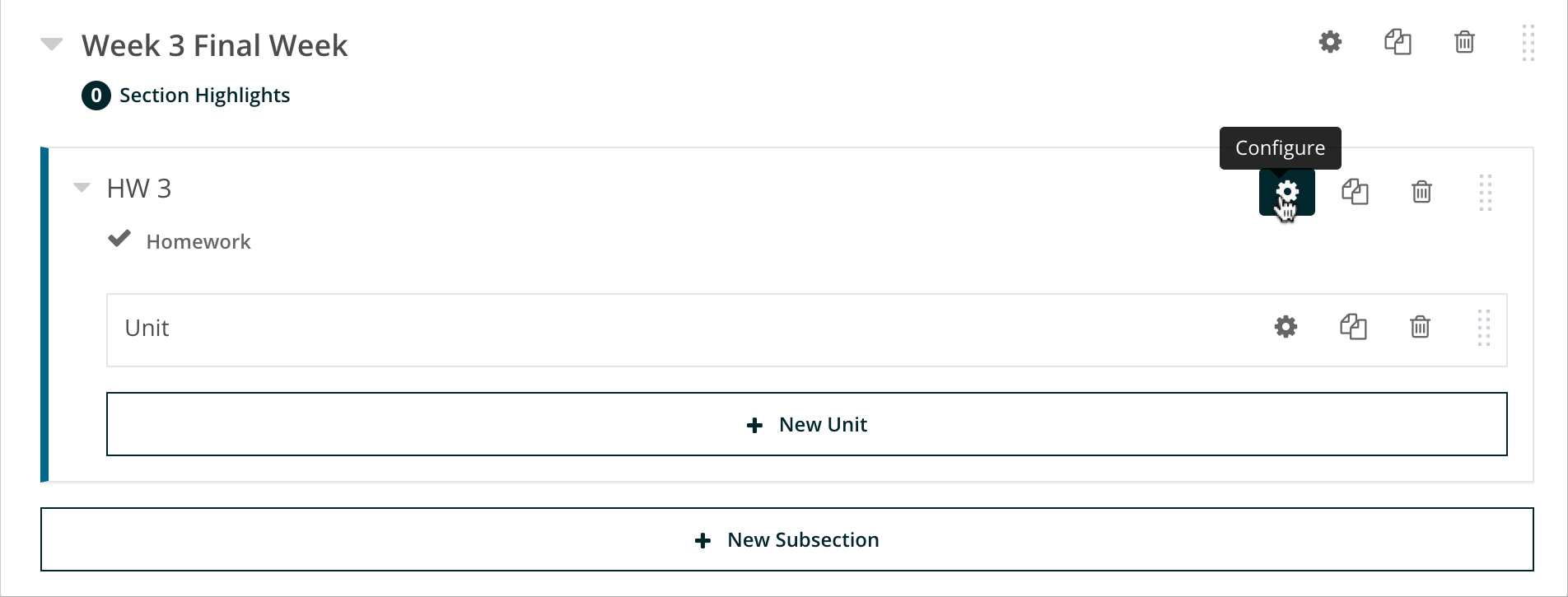
Click on the subsection’s configuration setting
Type the number of weeks you would like the assignment to be due in starting from the learner’s enrollment date. (Note: Leaving this field empty will cause the assignment to inherit default pacing)
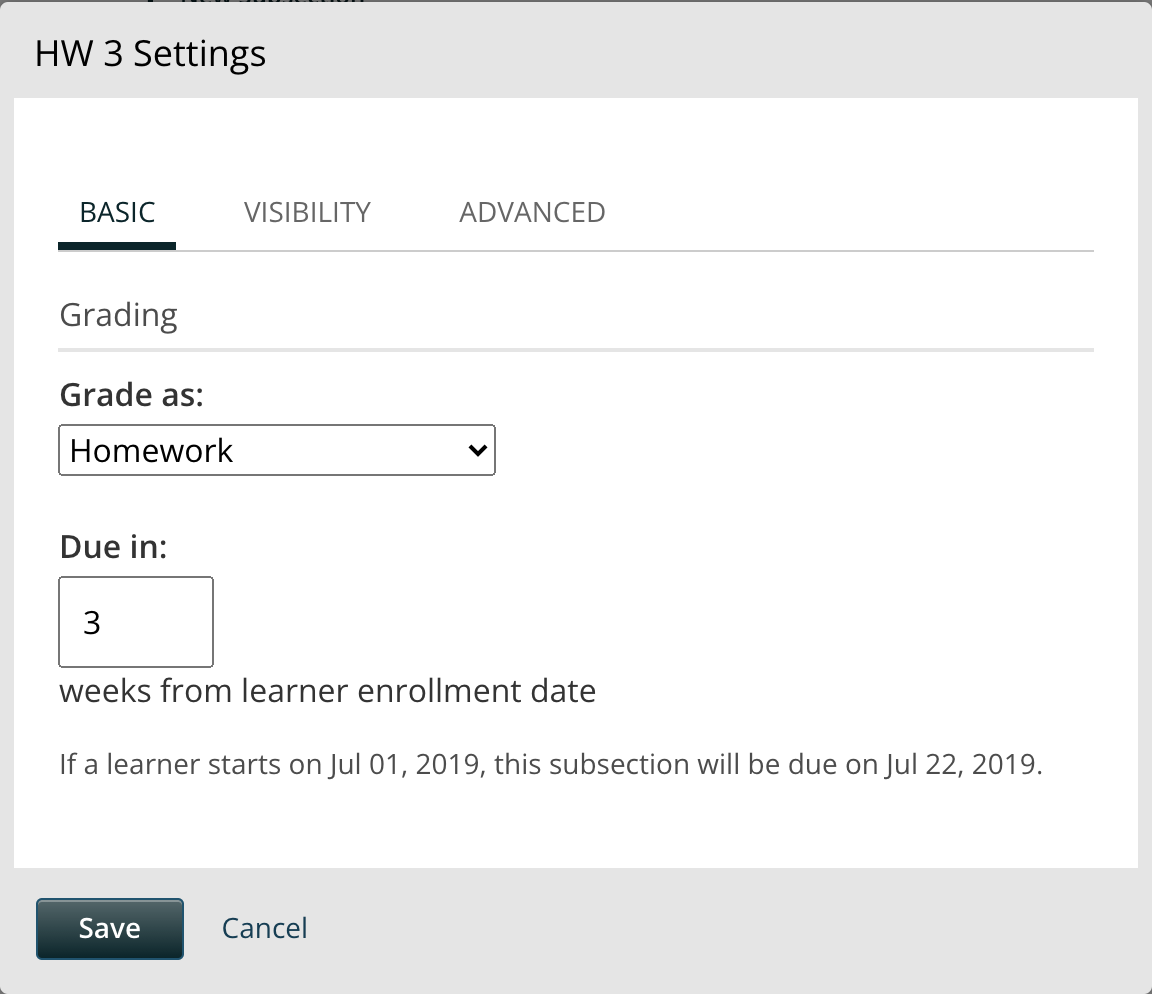
Click “Save”
The relative due date you saved will now be published for all enrolled learners.