
Accredible Configuration#
Note
This section provides information on how and where to set up accredible badge groups and configuration.
The Badges feature is configured in the Credentials admin panel.
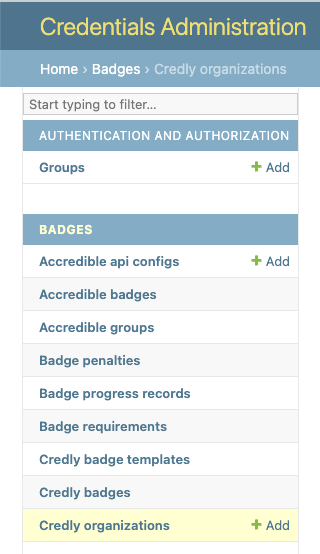
Accredible API Configurations#
Multiple Accredible API Configurations can be configured.
All communication between Open edX Credentials and Accredible service happens on behalf of a Accredible API config.
Go to the Accredible API Configs section in the admin panel and create a new item:
to set the name for config;
to set the api key, used to sync the Accredible account.
In case of errors, check the credentials used for the API Config
Groups#
Accredible groups (badge templates for short) are created in the Accredible dashboard and then, they are retrieved by the Credentials via API.
Synchronization#
To synchronize Accredible groups for the API Configuration one should:
navigate “Accredible API Configs” list page;
select the API Config;
use
Sync groupsaction;
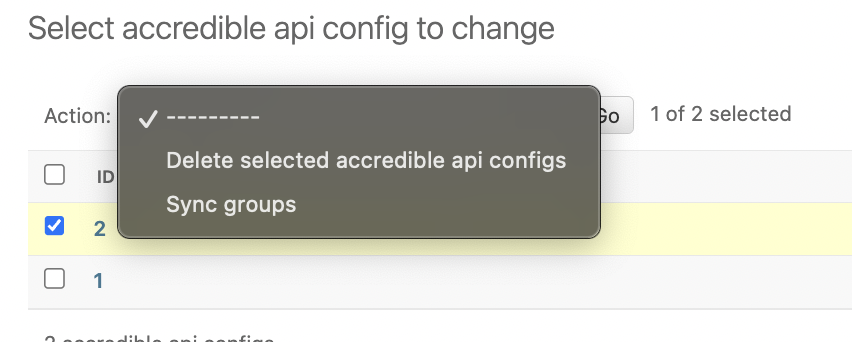
On success, the system will update the list of Accredible groups:
Accredible group records are created inactive (disabled);
For a group to be considered during the processing it must be configured (to have at least 1 requirement) and activated (enabled) first.
Badge Requirements#
Requirements describe what and how must happen on the system to earn a badge.
Badge Requirement(s) specification is a crucial part of group configuration. At least one badge requirement must be associated with a group.
Badge Requirements are listed inline on a group detail page.
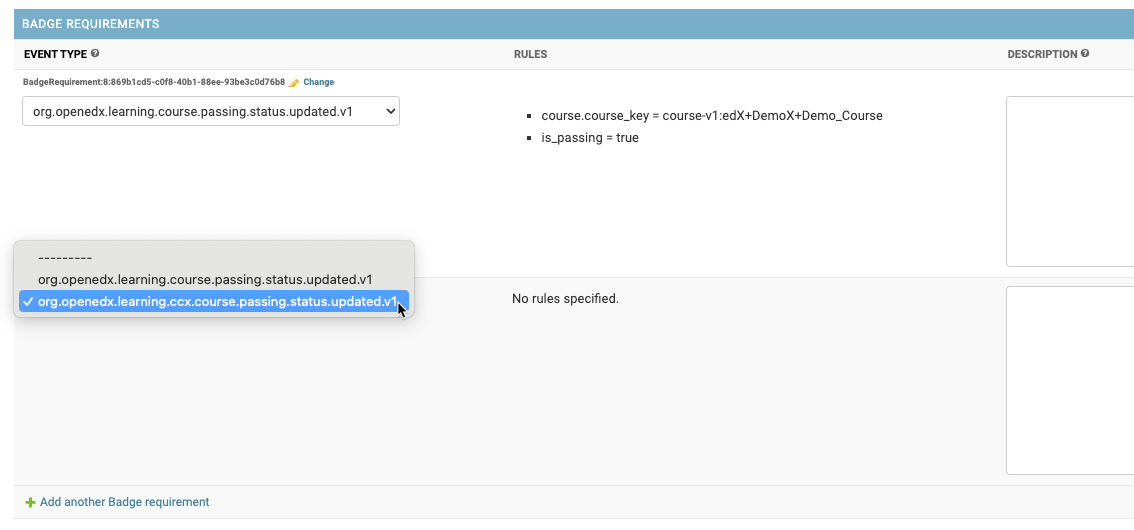
A badge template can have multiple requirements. All badge requirements must be fulfilled before the system will issue a badge to a learner.
Event type#
Describes what is expected to happen.
Available event type subset is pre-configured in the application settings.
Note
Technically, any public signal from the openedx-events library can be used for badge template requirements setup, if it includes user PII (UserData), so users can be identified.
Rules#
A list of configured data rules (if any), see “Data Rules”.
Description#
Description is an optional human-readable reminder that describes what the requirement is about.
Badge Requirement can be deeper specified via its Data Rules.
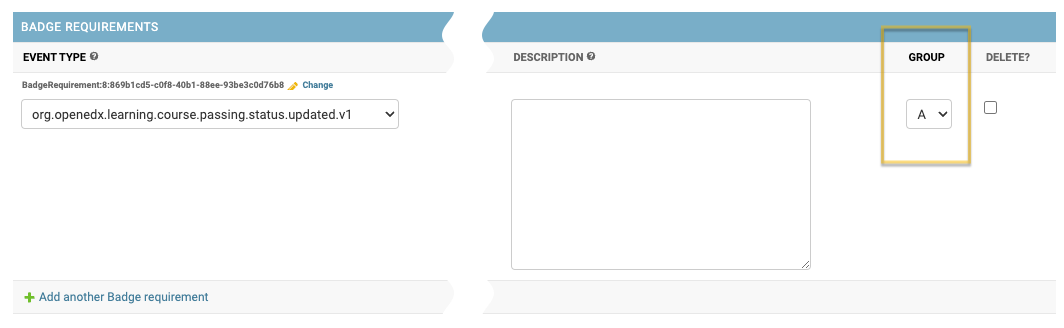
Group#
Optional configuration (by default each badge requirement is assigned a separate Group).
Allows putting 2 or more badge requirements as a Group. Requirements group is fulfilled if any of its requirements is fulfilled.
“OR” logic is applied inside a Group.
Data Rules#
Describes how it is expected to happen
Data Rules detail their parent Badge Requirement based on the expected event payload.
To edit/update a Data Rule:
navigate to the Badge Requirement detail page (use
Changeinline link);find the “Data Rules” section and add a new item;
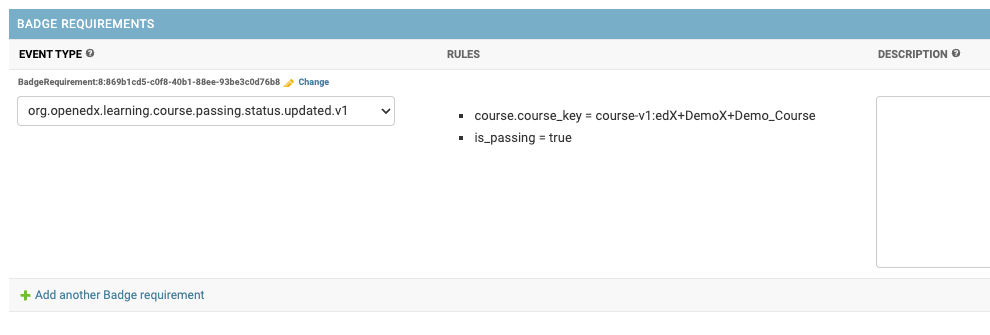
Each data rule describes a single expected payload value:
All key paths are generated based on the event type specified for the parent Badge Requirement.
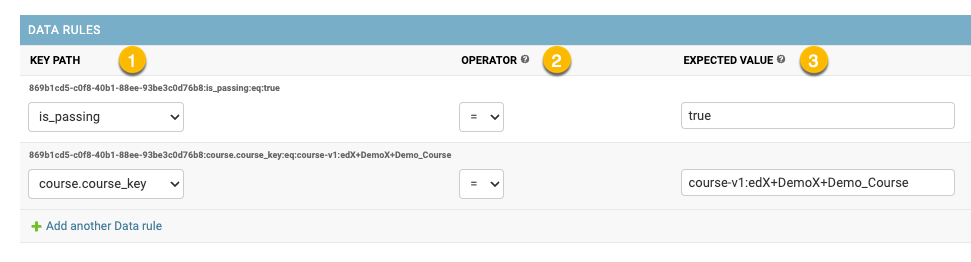
- Key path - payload path to the target attribute
dot-separated string;
each event type has its unique pre-defined set of key paths;
- Operator - comparison operation to apply between expected and actual values;
- available operators: (payload)
"="(equals);"!="(not equals);
- Expected value - an expected value for the target attribute
payload boolean positive values allowed:
"true", "True", "yes", "Yes", "+";payload boolean negative values allowed:
"false", "False", "no", "No", "-";
Please, see configuration examples for clarity.
Badge Penalties#
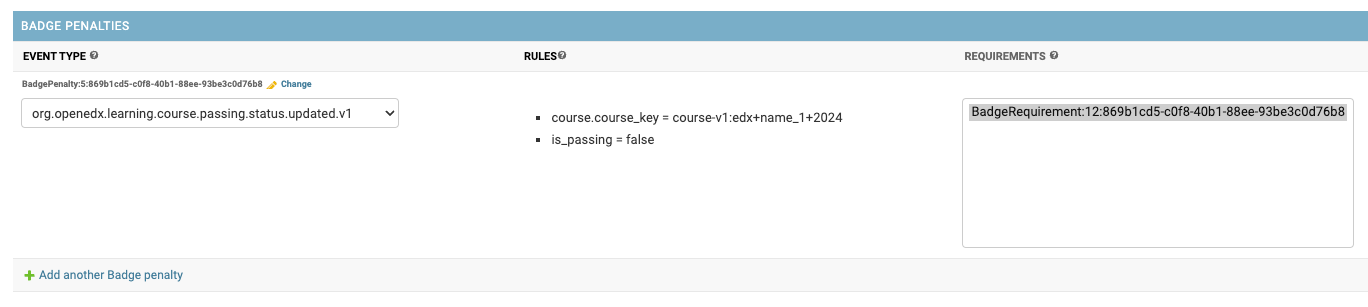
Penalties allow badge progress resetting based on user activity.
Badge penalties are optional. There could be 0 or more badge penalties configured for a badge template.
Each badge penalty is targeted to 1 or more badge requirements. A penalty setup is similar to a badge requirement, but has different effect: it decreases badge progress for a user.
When all penalty rules have been applied, a learner’s progress towards a badge is reset.
Activation#
Configured group can be activated:
navigate to the group detail page;
check
Is activecheckbox;Activated groups starts “working” immediately.
Accredible group record includes:
Core credential attributes;
Badge template credential attributes;
Accredible service attributes (dashboard link);
Configured requirements;