
Filters#
Superset dashboards allow you to filter the data displayed in the charts and graphs, which can help you focus on specific data sets or trends.
Types of Filters#
There are three main types of filters in Superset dashboards:
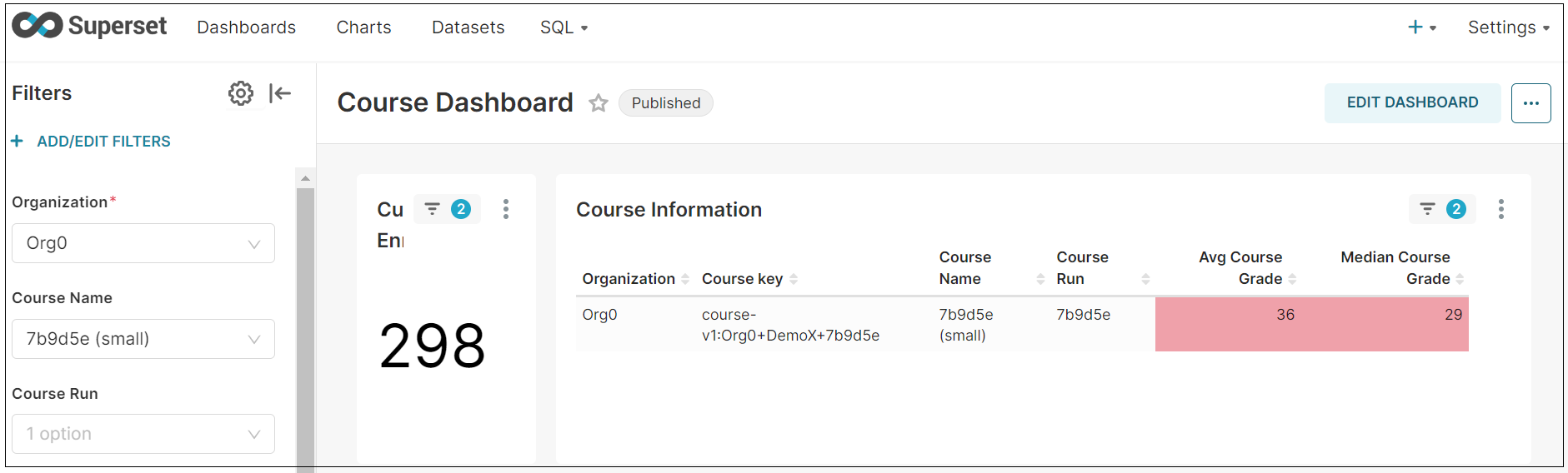
Course Filters: These filters allow you to specify which courses you want to see data for. For example, in the following image, the course filters include Organization, Course Name, and Course Run, which are currently set to specific examples.
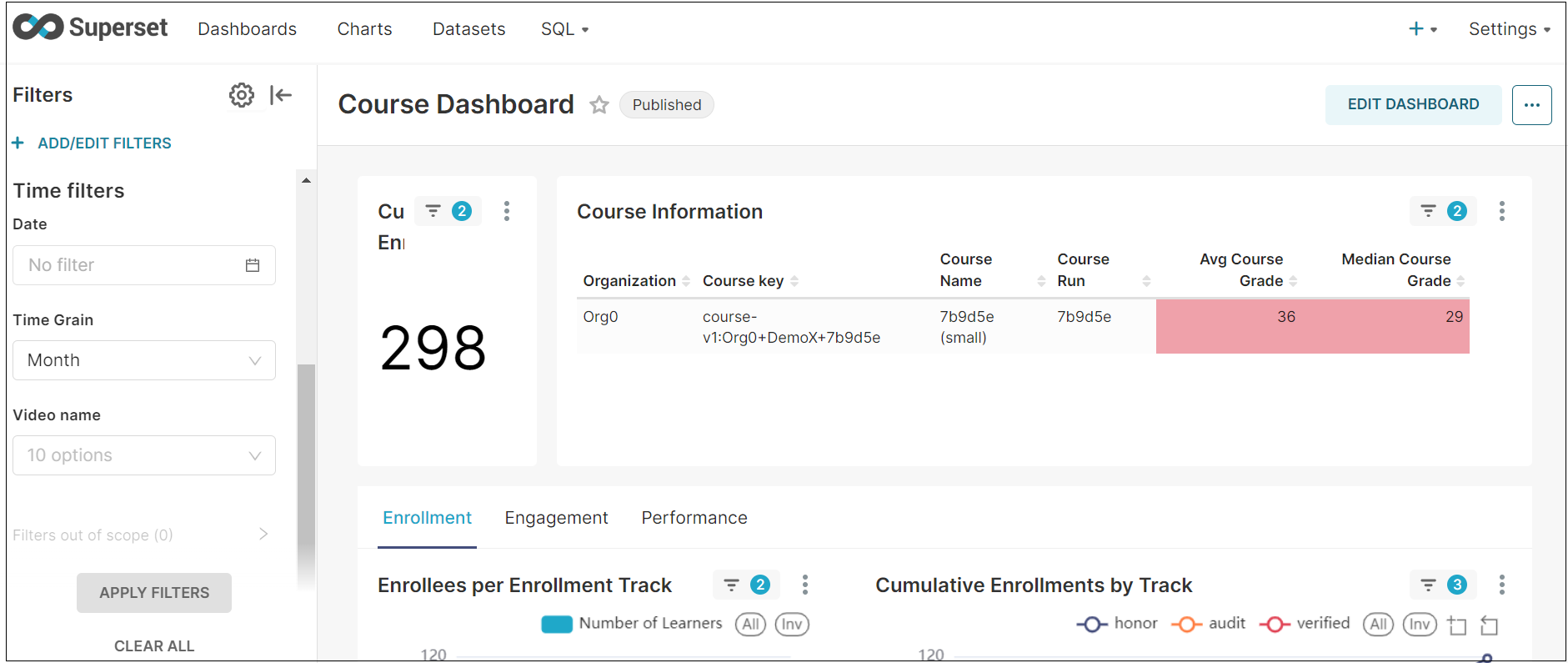
Time Filters: These filters allow you to specify the period you want to see data for. The “Date” filter in the image is currently set to “No filter.” There is also a “Time Grain” filter that you can use to change the time interval shown in the graph (e.g., day, week, month).
Individual Learner Filters: These filters on the Individual Learner Dashboard allow you to filter the enrollment, engagement, and performance information for a single learner in your course at a time. By default, no filter is applied to the Name, Username, or Email filter.