
Allow Sharing PII to LTI Components#
Personally identifiable information (PII) sharing controls determine whether an LTI Consumer XBlock can send a user’s username, full name, or email address to an external LTI tool during launches. For Names and Role Provisioning Services (NRPS), PII sharing can include only a user’s full name and email address.
By default, course teams cannot edit LTI PII sharing settings in Studio. A site operator must enable LTI PII sharing for the course before course teams can select the user information to share for each LTI component. For more information, see Manage LTI PII Sharing for a Course.
Warning
Share only the user information required by the LTI tool. Follow your organization’s privacy and data governance policies before you select component-level sharing settings.
Data Sharing Prompt for Tool Launches#
LTI PII sharing behavior depends on how the tool receives user information.
LTI interaction |
What controls PII sharing |
User prompt |
|---|---|---|
Tool launch in the LMS |
The LTI Consumer XBlock settings for username, full name, and email control which values are included in the launch. |
The user sees a consent prompt before launch when one or more PII fields are selected. |
Deep linking launch in Studio |
The LTI Consumer XBlock settings for username, full name, and email control which values are included in the deep linking launch. |
User consent is not collected because course staff run the Studio deep linking workflow. |
Names and Role Provisioning Services (NRPS) |
The course-level LTI PII sharing flag controls whether NRPS responses include PII. When the flag is enabled, NRPS responses include full name and email address, but not username. |
No user consent is collected for NRPS requests. |
Configure PII Sharing in an LTI Component#
After a site operator enables LTI PII sharing for the course, course teams can select which user information an LTI Consumer XBlock shares with the tool.
In Studio, open the unit that contains the LTI Consumer XBlock.
Select Edit.
Select the Review Options tab.
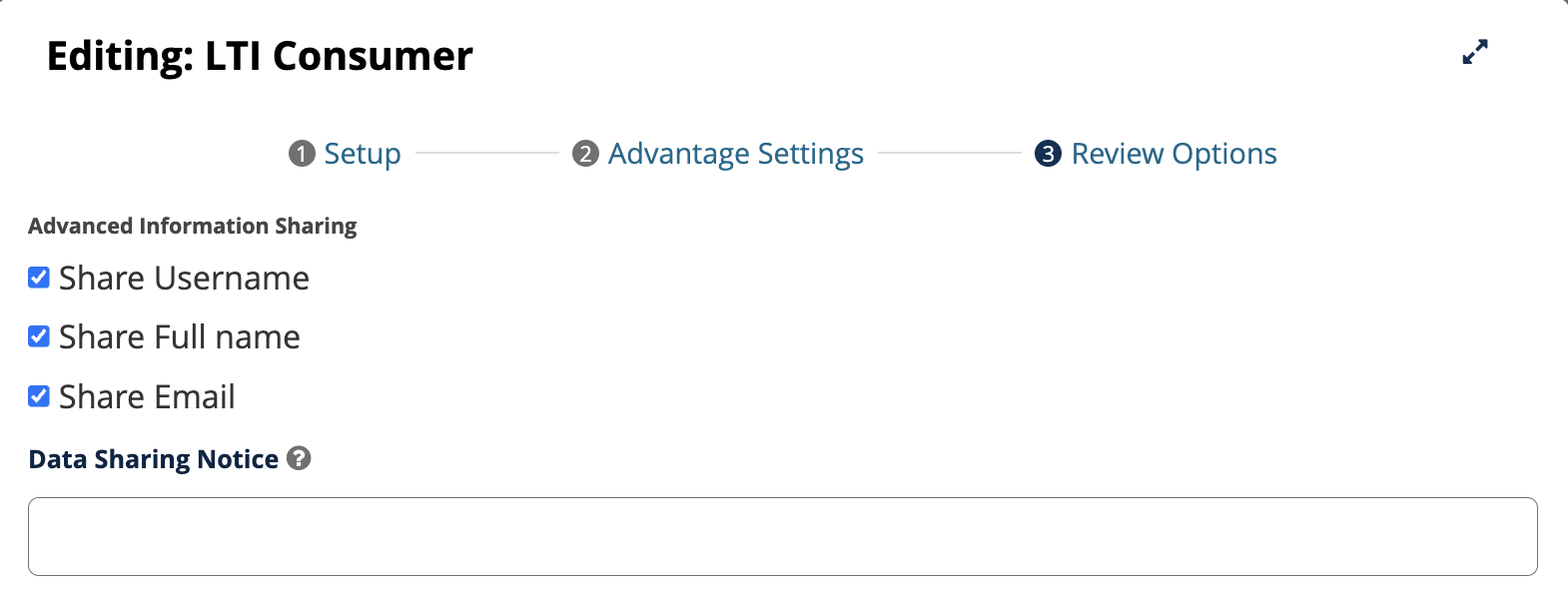
The Advanced Information Sharing section includes settings for sharing username, full name, email, and a data sharing notice.#
In the Advanced Information Sharing section, select only the user information that the tool requires.
Share Username
Share Full name
Share Email
In Data Sharing Notice, add a short explanation of why user information is shared with the tool.
Select Save.
User Consent for Tool Launches#
When a user launches an LTI tool from the LMS and the component is configured to share user information, the user sees a consent prompt before the tool launches.
The prompt lists the user information that the component is configured to share, such as username, full name, or email address. Tool is only launched after user’s approval.
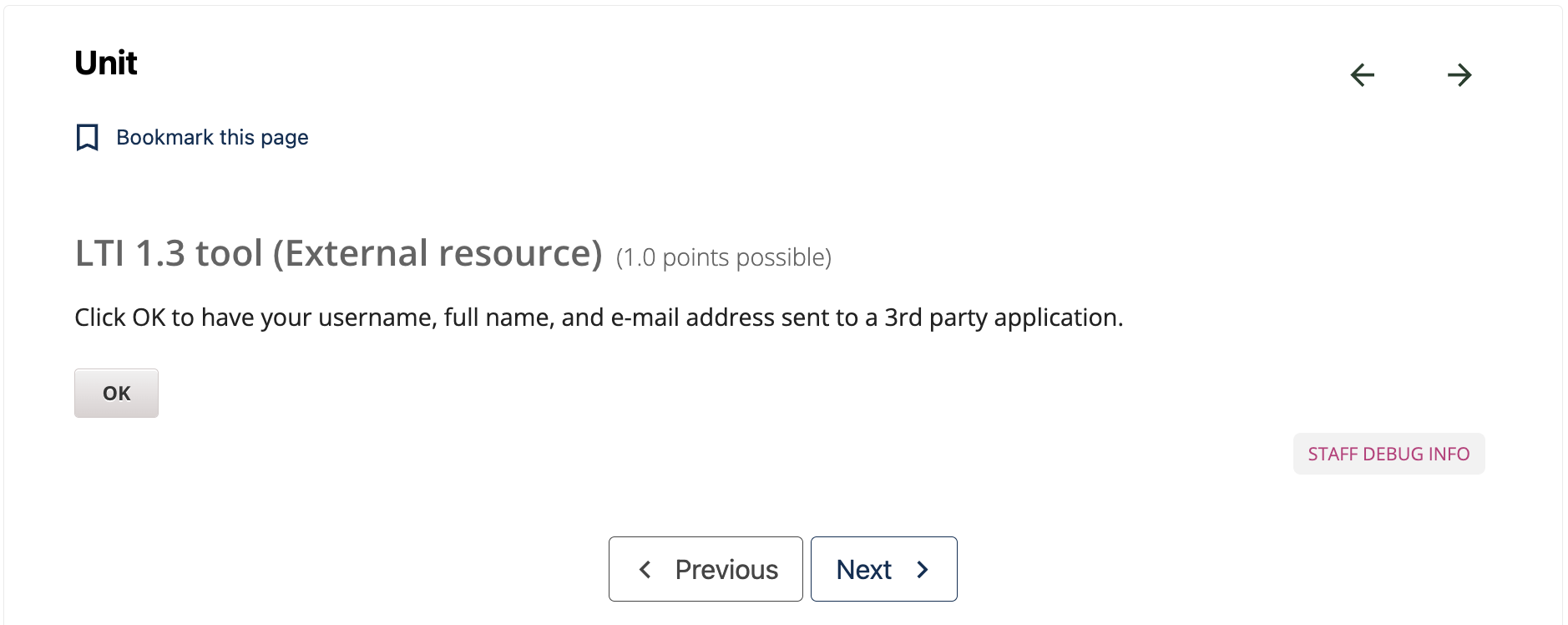
The consent prompt appears before launch when the LTI component is configured to share user information.#
See also
Manage LTI PII Sharing for a Course (how-to)
About the LTI Component (concept)
About Learner Data (concept)
Set Up an LTI 1.1 Component (how-to)
Set Up an LTI 1.3 Component (how-to)
Set Up an LTI Component Using a Reusable Configuration (how-to)
Maintenance chart
Review Date |
Working Group Reviewer |
Release |
Test situation |
2026-06-25 |
Aamir Ayub |
Verawood |
Pass |